![SM_Platform-logo.png]](https://support.sitemanager.io/hs-fs/hubfs/SM_Platform-logo.png?height=40&name=SM_Platform-logo.png)
In this article
1. Adding a new script
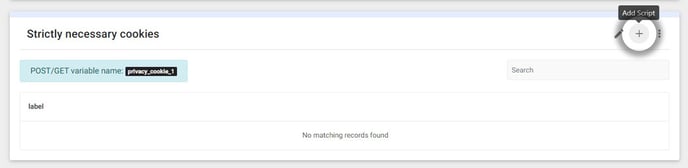
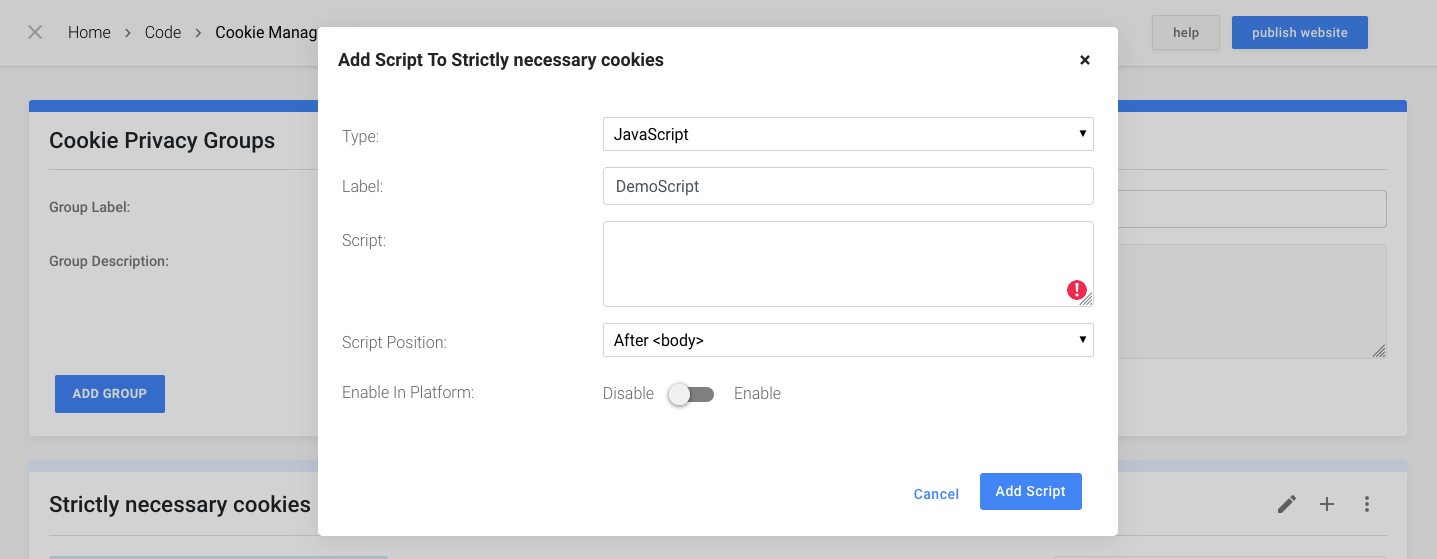
A new script can be added to a Cookie Group by clicking on the 'Add Script' icon on the right-hand side of the group card. A modal will open where you will be able to add the information about your script.
- Label: Choose a name for the script, this will have no further influence other than providing a more managable overview.
- Script: Add your own custom script or the snippet provided by the tracking service. It is recommended to only add the actual <script> without comments and/or <noscript> tags, but this is not required.
- Script Position: Some scripts need to be added to a specific position inside the HTML document. With this option you're able to choose to add the script:
- inside the <head> tag
- directly after opening the <body> tag
- before closing the </body> tag
2. Deleting a script
Scripts can be deleted by clicking on the bin icon on the right-hand side of the corresponding script and confirming the delete modal.
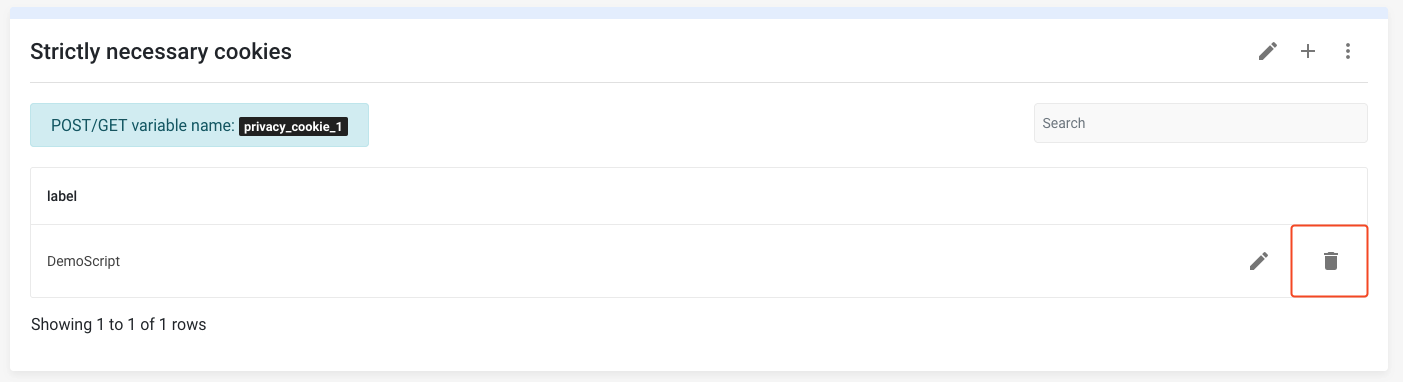
Caution: Deleting a script is permanent, this action cannot be undone.
3. Edit a script
Scripts can be editied by clicking on the pencil icon on the right-hand side of the corresponding script.


Notice: Remember to always Publish the project when you are done making changes to scripts.